NSW Block Report FAQs
Common questions about the NSW Block Report. A fast site analysis tool for New South Wales properties that brings together lot boundaries, zoning, floor space ratio, height limits, minimum lot size, heritage, bushfire, flood and landslide layers, and contours - all in one map.
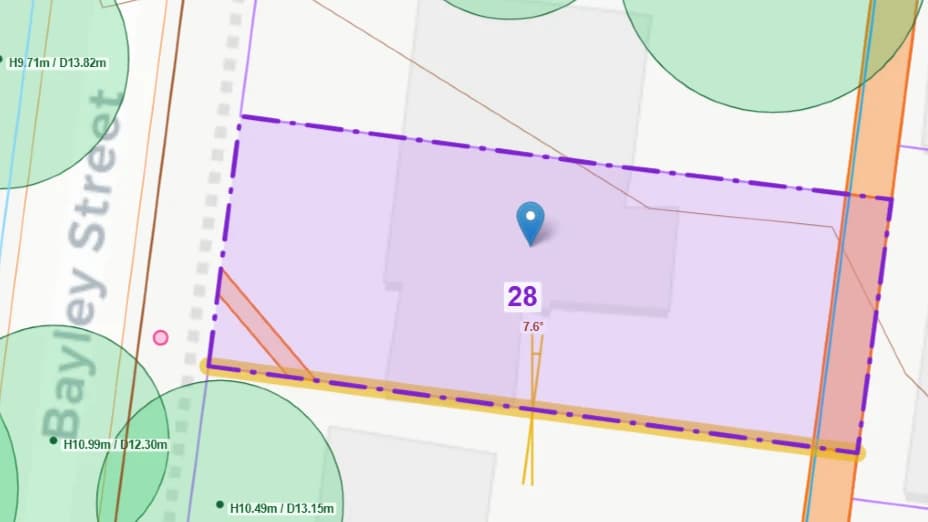
Sample search result
Is the information in the NSW Block Report accurate and up to date?
The data is sourced directly from official NSW Government services: cadastre and imagery from NSW Spatial Services (SIX Maps), planning controls, heritage and hazard layers from the NSW Planning Portal, and elevation from the NSW Spatial Portal. Contours and building outlines should be treated as approximations only. This report is intended as a preliminary site analysis tool. The information should not be relied upon for final design, construction, or legal purposes. A survey by a registered surveyor is required before commencing formal plans or any works on site.
What information is included in the NSW Block Report?
The report includes: lot details (lot number, Deposited Plan, section, lot area), land zoning, floor space ratio (FSR), maximum height of buildings, minimum lot size, heritage listings, bushfire prone land, flood planning areas, landslide risk land, road-reserve edges, adjacent lots, and approximate 2m contours. Where available, an outline of buildings on the lot and adjacent lots is also included.
What is included in the DXF file?
The DXF file includes all the layers visible on the map. It also includes contours set to Australian Height Datum (AHD). These can be used to quickly create topo surfaces in drafting packages such as Revit. Watch a tutorial on how to import the DXF into Revit and create a site plan in under 7 minutes.
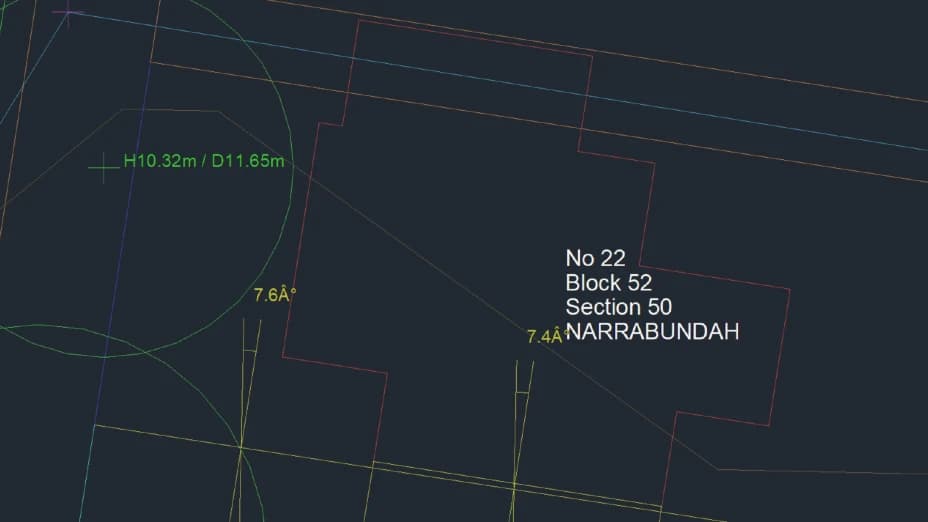
Sample DXF opened in CAD
How do I find a NSW property by street address or Lot and DP?
You can search two ways: by street address, or directly by Lot and Deposited Plan (DP) number using the "Search by Lot & DP" toggle. Because many NSW streets share the same name across different suburbs, an address search may return a list of matches - just pick the correct suburb from the list.
How do I find the FSR, height limit and minimum lot size for a NSW property?
Floor space ratio (FSR), maximum building height and minimum lot size are set by each council's Local Environmental Plan (LEP) and vary from property to property across NSW. The NSW Block Report retrieves these controls automatically from the NSW Planning Portal LEP maps - just search by address or Lot and DP number and they appear in the Planning section of the report. No need to navigate council maps or the Planning Portal separately.
How do I check if my NSW property has a bushfire, flood or landslide overlay or a heritage listing?
The NSW Block Report automatically checks for all four. If a heritage listing or hazard overlay applies to the property, an alert icon appears on the map and the details are listed in the lot details panel. You can cross-check results with the NSW Planning Portal Spatial Viewer and the NSW Heritage database.
Why do some properties show "Not mapped" for flood or landslide?
Flood planning and landslide risk maps are only published for some councils (LGAs) on the NSW Planning Portal. A "Not mapped" result means that council has not published that layer to the portal - it does not necessarily mean the property is free of that risk. Bushfire prone land, by contrast, is mapped across the whole state. Always confirm hazard information with the relevant council.
How do I find the NCC Climate Zone and NatHERS Climate Zone for a property in NSW?
The NSW Block Report automatically looks up the NCC (National Construction Code) Climate Zone and NatHERS (Nationwide House Energy Rating Scheme) Climate Zone for any property you search. The results appear in the Details tab. You can cross-check results with the ABCB Climate Zone Map and the NatHERS climate zone database.
Is the NSW Block Report free to use?
Yes - the NSW Block Report is free to use. Enter an address or Lot/DP, fetch the details, and review the lot boundaries, planning controls, heritage, hazards and contours all in one place.
Can I use the NSW Block Report for commercial projects?
Yes - the NSW Block Report is suitable for building designers, architects, landscape architects, town planners and other construction professionals as a preliminary site analysis tool. It provides a fast, consolidated view of lot boundaries, zoning, planning controls, heritage, hazards and contours, helping to quickly assess a site before commencing formal plans.